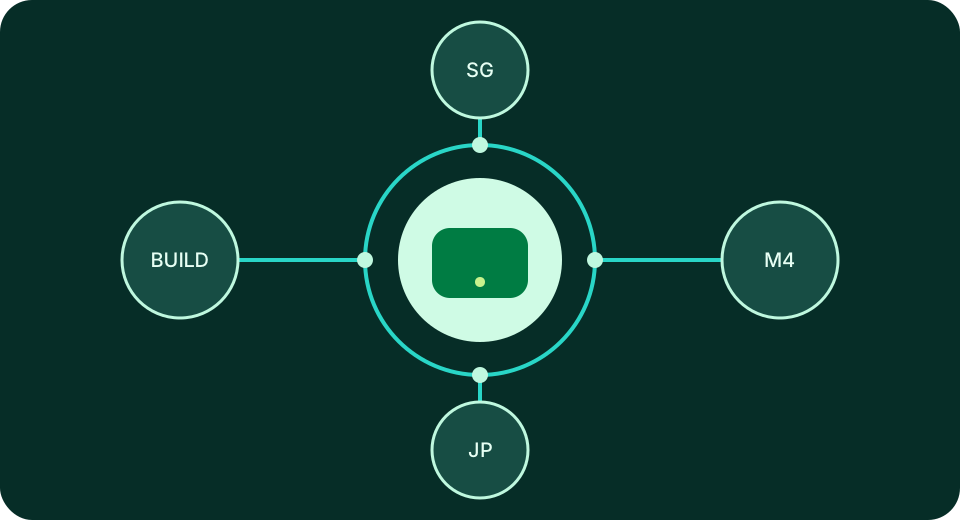
Dedicated Apple Silicon · Physical Mac mini

Keep M4
building in the cloud

Connect a dedicated Apple Silicon physical node to your development pipeline. Each rental maps to one physical Mac mini, with CPU, memory, and local storage dedicated to you—not a virtual machine.

4 data centers Singapore · Japan (Tokyo) · South Korea (Seoul) · Hong Kong
Live console status Delivery time and order status are verifiable
99.9% Service availability target
Use case Continuous integration / Xcode builds
Region Singapore
Term Monthly
Configure your order

The website does not collect payment information. All orders are billed in USD, with configuration, add-ons, and order details confirmed in the console.

Why choose a physical node

Fixed resources. Fixed environment.
More reproducible results.

Available capacity in shared environments changes with neighboring workloads, while temporary machines require dependencies to be restored repeatedly. MangoVM maps each rental directly to a physical Mac mini, keeping compiler versions, caches, scripts, logs, and job queues in the same environment over time. Update your toolchain on your own schedule and set clear concurrency limits for each project.

Physical node

Dedicated physical Mac mini

CPU, memory, and local storage are dedicated to a single rental. Long-running builds, archives, and export jobs do not compete with other tenants for the same resources, and short-lived peak performance is not presented as a steady specification.

100%Dedicated to your order
Development pipeline

Built for ongoing build workloads

Register the node as a persistent runner, limit per-machine concurrency, and retain dependency caches, build artifacts, and logs. When manual investigation is needed, return to the same system environment to reproduce the issue.

365 daysNormal node operation
Regional directory

Nodes available in four locations

Choose between Singapore, Japan (Tokyo), South Korea (Seoul), and Hong Kong. Both configurations are available in all four locations; the console provides live ordering status and delivery progress.

4Data centers available
Two configurations available

See the complete numbers
then choose the right tier.

Every product is a dedicated Apple Silicon physical machine; shared virtual machine plans are not offered. Rent by the day, week, month, or quarter. All listed amounts are billed in USD, with real prices for each term instead of vague starting prices.

Everyday builds

MangoVM M4

M4 · 16GB RAM · 256GB SSD

$19.1/ day
Weekly$51.5
Monthly$95.3
Quarterly$259.2

Ideal for everyday Xcode builds, single-project runners, remote development environments, and medium-scale automated testing. All four locations are included in the directory.

Rent MangoVM M4 now
Heavy workloads

MangoVM M4 Pro

M4 Pro · 64GB RAM · 2TB SSD

$60.4/ day
Weekly$163.2
Monthly$302.2
Quarterly$822

Ideal for large projects, multi-module builds, Apple Silicon inference testing, parallel tests, and high-capacity media processing. All four locations are included in the directory.

Rent MangoVM M4 Pro now

For more local storage, select +1TB SSD or +2TB SSD in the order configuration. For device clustering, select Thunderbolt 5 interconnect. Add-ons are billed separately for the selected term and are shown clearly on the invoice.

View full pricing, add-ons, and regional matrix
Four locations

Every data-center city is listed
so regional details are clear before checkout.

Both MangoVM M4 and MangoVM M4 Pro are available in Singapore, Japan (Tokyo), South Korea (Seoul), and Hong Kong, with all locations listed as well stocked. Network latency varies with your location, carrier routing, and connection method. Ranges on the cards are for initial regional comparison; live ordering status is provided by the console.

SGAvailable

Singapore

Optimized for connections across Southeast Asia. Reference latency: 20–50 ms. Both configurations are available.

Order a Singapore node
JPAvailable

Japan (Tokyo)

Optimized for connections across East Asia. Reference latency: 30–60 ms. Both configurations are available.

Order a Tokyo node
KRAvailable

South Korea (Seoul)

Optimized for connections across Northeast Asia. Reference latency: 30–50 ms. Both configurations are available.

Order a Seoul node
HKAvailable

Hong Kong

Optimized for connections across southern China and Southeast Asia. Reference latency: 20–40 ms. Both configurations are available.

Order a Hong Kong node
Real-world workloads

Not a generic compute promise.
A clearly defined Mac workflow.

When choosing a configuration, consider how long jobs run, how many dependencies must remain available, and whether workloads run in parallel—then evaluate the chip and memory. All four scenarios benefit from a fixed physical environment, but each has different resource priorities.

Independent developers

Run Xcode and signing builds remotely

Manage code, dependencies, and build scripts over SSH, then complete required manual checks in the macOS graphical interface. Run archives overnight and review artifacts, version numbers, and failure logs the next day, without tying up your local computer with long-running jobs.

CI teams

Deploy a persistent macOS runner

Register a fixed runner for each project, use labels to distinguish build types, limit concurrent jobs, and define cleanup procedures for failures. Dependency caches and toolchains remain available, reducing the time needed to prepare the environment for every job.

AI experiments

Validate Apple Silicon inference workloads

Keep model dependencies, test samples, runtime parameters, and result records on the same M4 or M4 Pro node. A fixed environment makes it easier to compare latency, memory usage, and output consistency across versions.

Media teams

Encode, render, and automate exports

Assign transcoding, rendering, batch media processing, and automated exports to a fixed node. Jobs can run continuously while team members review results through shared logs and directory conventions, without taking turns on office workstations.

Physical node workflow

From order to pipeline,
every step has a clear input.

Ordering, delivery status, connection details, and node management are handled in the console. The website explains configurations and boundaries without asking you to submit credentials or payment information on a public page.

Step 1

Submit your order configuration

Choose M4 or M4 Pro, the region, rental term, and add-ons. Confirm that every item is listed in USD before submitting the order.

Step 2

Wait for delivery status to update

The console returns the current node status. Delivery time is based on live status; the website does not promise a fixed number of minutes or display unverifiable real-time quantities.

Step 3

Retrieve connection details

After delivery, verify the node address, account credentials, and access-control information. Verify the host identity on first connection and store keys in a controlled location.

Step 4

Connect to your existing workflow

Use SSH, macOS Remote Desktop, or register a CI/CD runner according to your workload. Physical resources remain dedicated to this order.

“I hand overnight archives to a fixed node and only review the results the next day.”
— Independent iOS developer
“The runner no longer competes with other jobs for resources.”
— Mobile CI lead
“The same machine can retain my experiment dependencies over time.”
— AI engineer
Billing structure

Review the term, configuration, location, and add-ons
before you pay.

The website does not process payments and will not ask you to enter card or on-chain payment details on a marketing page. The example below shows a monthly MangoVM M4 in Singapore with +1TB SSD, illustrating where each item appears in an order. Your actual total depends on the configuration selected in the console.

Configuration ledger example USD
Billing termMonthly
MangoVM M4$95.3/month
NodeSingapore
+1TB SSD$14.3/month
Order total$109.6

Rent MangoVM

A dedicated physical node billed for the selected term. No upfront hardware purchase is required, and you do not need to arrange data-center networking or remote access yourself.

Buy hardware

You own the hardware outright, but must purchase it upfront and handle networking, power, remote access, on-site failures, and future upgrades yourself.

Shared virtual machine

Instances can usually be created quickly, but resource ownership, sustained performance, and environmental boundaries differ from those of a dedicated physical node.

Payment methods are limited to USDT-TRC20 and Visa / Mastercard / Amex (via Stripe). Actual gateways available are determined by the backend response. All payments are settled in USD.

Availability target

99.9% service availability target,
measured using one consistent standard.

All nodes operate normally 365 days a year. Service targets, measurement scope, exclusions such as user actions and force majeure, and documentation required for eligible compensation are governed by the consistent standards in the applicable service terms.

99.9%Service availability target

The status band illustrates a 90-day observation period, with each cell representing three days; it is not a history of real-time status. Official service records and compensation decisions are governed by the service page and applicable terms.

Engineering guides

Set up the environment
then keep it running reliably.

The blog will publish practical guides covering remote Mac environments, macOS toolchains, continuous integration, system upgrades, and release workflows. Once published, the three latest posts will appear here automatically, with titles, summaries, and article pages kept consistent.

Before you order

Clarify the product boundaries first.

For questions about a specific order, node status, or connection credentials, sign in to the console and submit a ticket. Public pages will never ask you to paste private keys, passwords, or signing materials.

Is this a virtual machine?

No. MangoVM products are dedicated Apple Silicon physical Mac minis, with one physical node assigned to each rental. CPU, memory, and local storage are not shared with other tenants.

How long does delivery take?

Delivery time is based on live console status. The website does not show fabricated real-time quantities or promise a fixed delivery time in minutes. Check status updates in the console after submitting an order.

Which payment methods are supported?

Only USDT-TRC20 and Visa / Mastercard / Amex (via Stripe) are supported. Actual gateways available are determined by the backend response. All orders are billed in USD.

How do I connect after the node is delivered?

Verify the node status, address, account credentials, and access-control information in the console, then use SSH, macOS Remote Desktop, or register a persistent CI/CD runner. Verify the host identity on first connection.

Start with one node

Hand your next build to
dedicated Apple Silicon.

From $19.1/day. Confirm the configuration, region, term, add-ons, and USD billing at checkout, then connect the node to your existing development pipeline.